
IRD 1V
Connect the instrument to the PC. Download a route, collect readings in the field, and upload them back to 1View.
Trend the readings, list exceptions, and produce reports in 1View, including PDF, Excel and CSV export.
PC software for route-based condition monitoring
IRD 1View is IRD Mechanalysis PC software for route-based data collection. Build a plant and a route on the PC, load the route onto a connected IRD instrument, collect readings in the field, upload them, then trend, list exceptions and report.
Request a quotesales@irdmech.com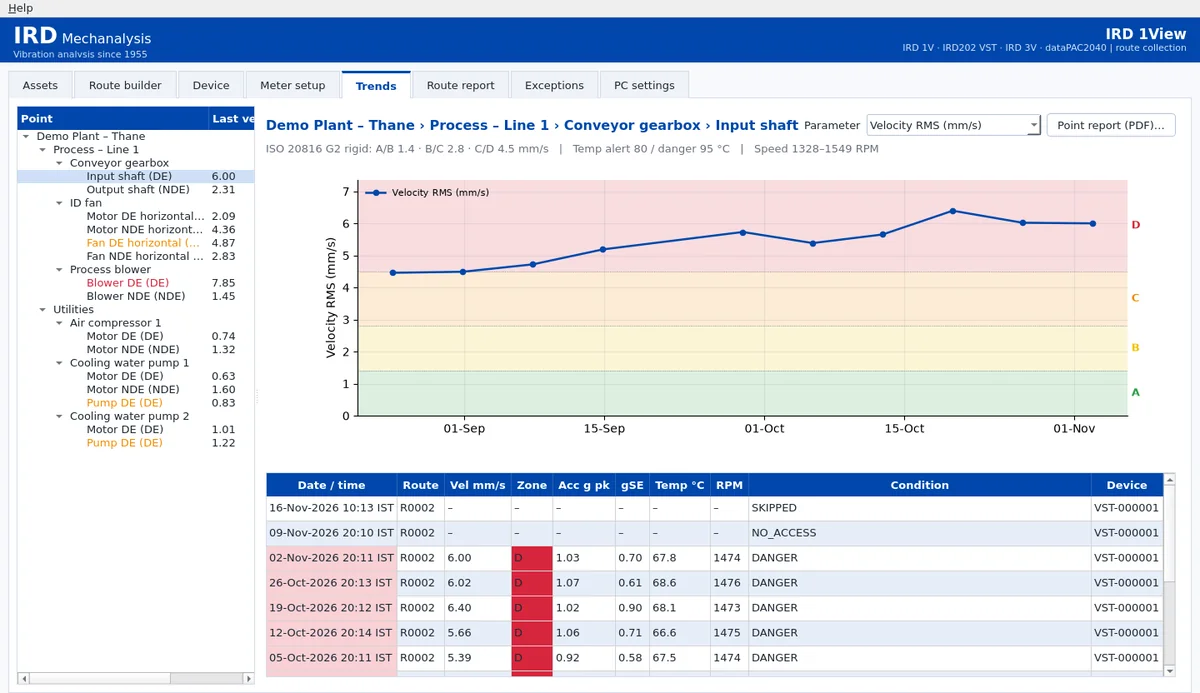
Connect the instrument to the PC. Download a route, collect readings in the field, and upload them back to 1View.
Trend the readings, list exceptions, and produce reports in 1View, including PDF, Excel and CSV export.
Connect over the instrument’s USB-C port, used for data and for charging.
Upload overall route readings — velocity, acceleration, gSE (bearing envelope), displacement, infrared temperature and strobe RPM — with ISO zone.
Build and download routes, upload readings, trend them with ISO zone colours, list exceptions, and export PDF, Excel and CSV. If an upload is interrupted, 1View keeps what was already received and the rest stays on the meter, so you can resume. A failed route download does not leave a partial route on the meter. The meter clock can be set from the PC.
Connect the instrument to the PC. Download a route, collect readings in the field, and upload them back to 1View.
Trend the readings, list exceptions, and produce reports in 1View, including PDF, Excel and CSV export.
Connect the instrument to the PC. Download a route, collect readings in the field, and upload them back to 1View.
Trend the readings, list exceptions, and produce reports in 1View, including PDF, Excel and CSV export.
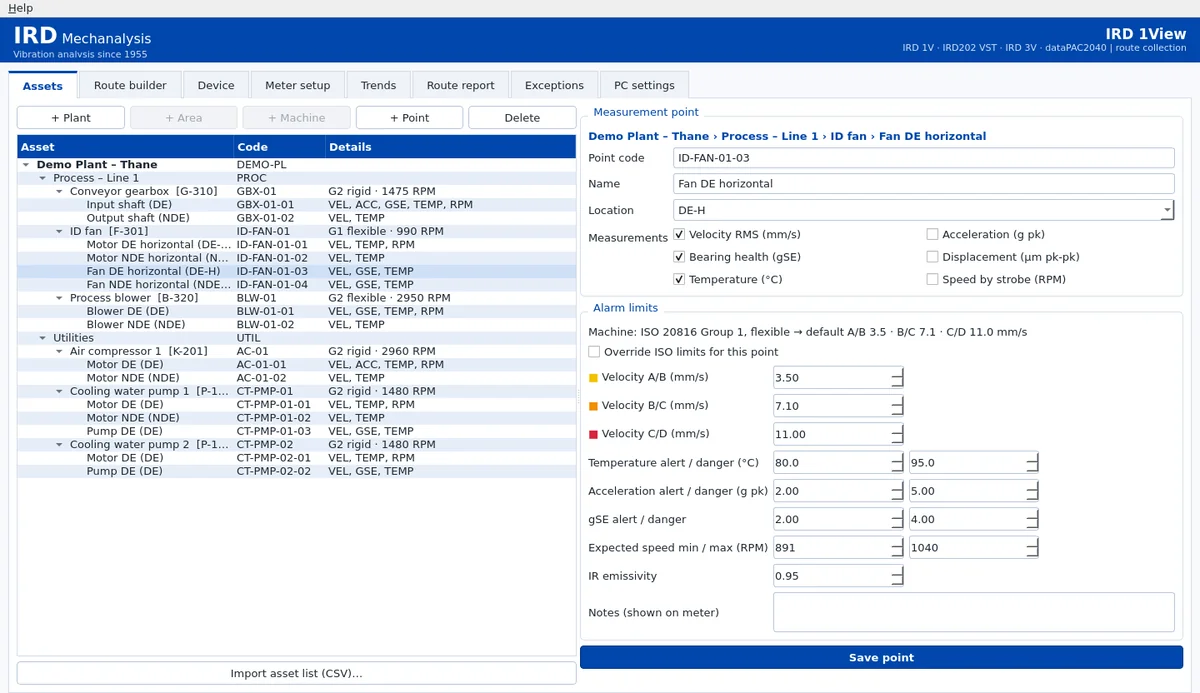
Organise the plant as Plant › Area › Machine › Point. Import an asset list from CSV.
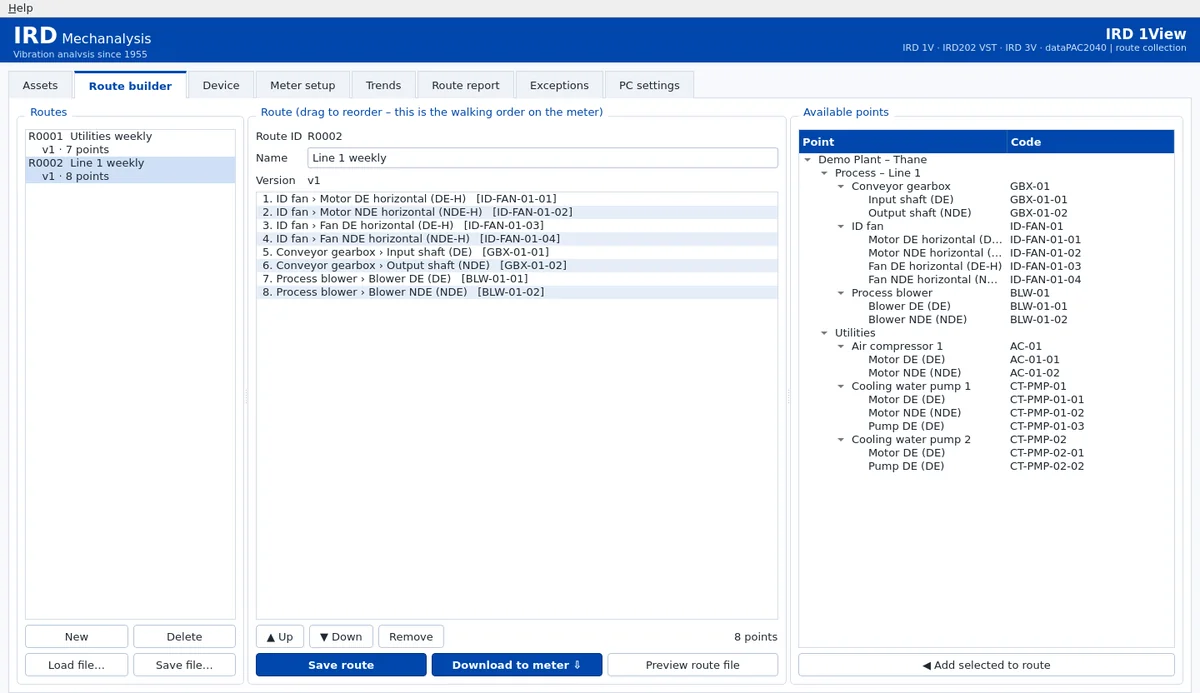
Build an ordered point list, reorder points, save and load a route, and download it to the instrument.
Download a route to the instrument and upload new readings to the PC. A cancelled or interrupted upload keeps what was already received, so you can resume. A failed route download does not leave a partial route on the instrument.
Trend each point and parameter with ISO zone colour bands (A green, B yellow, C orange, D red) or alert and danger bands, together with a history table.
See the latest reading per point in ISO Zone C or D, or with a temperature, acceleration, gSE, speed or operator alarm.
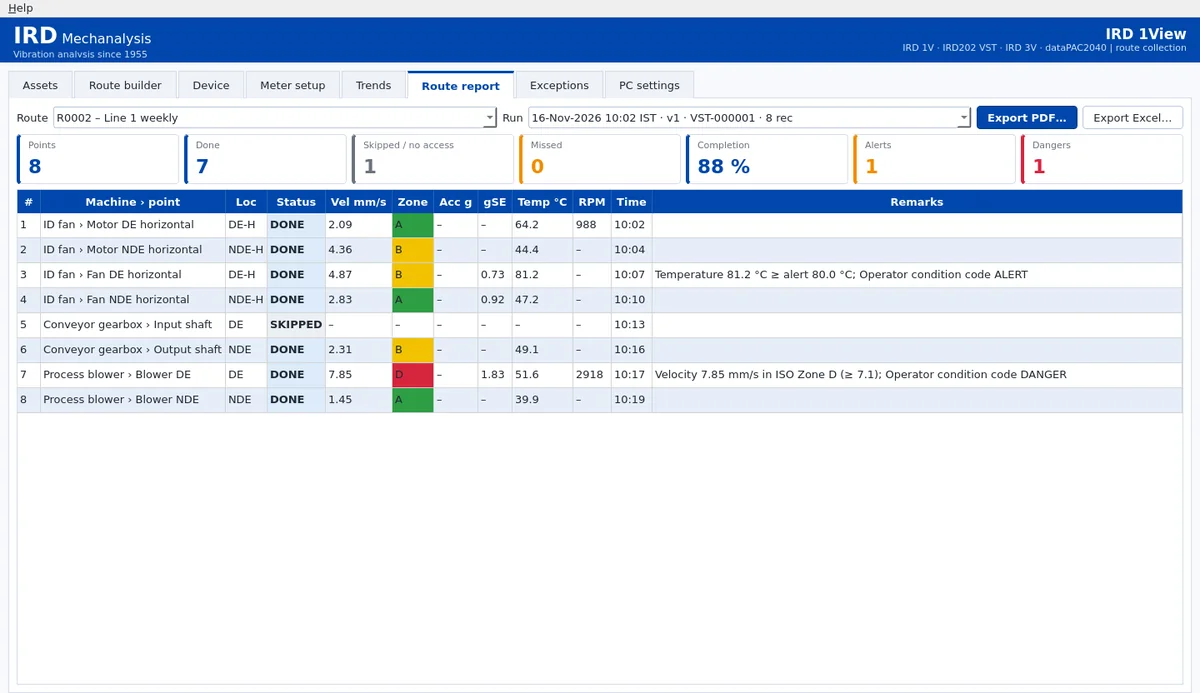
Route reports show done, skipped, no access and missed points, with alerts, dangers and completion. Export PDF (route completion, exceptions, point trend), Excel (Summary, Readings, Exceptions, Route completion, Assets) and CSV. The Assets sheet re-imports as the asset list.
IRD service can view and update the meter’s calibration from the PC. Every IRD meter is supplied with a National Traceable calibration certificate.
Screenshots use demo data.
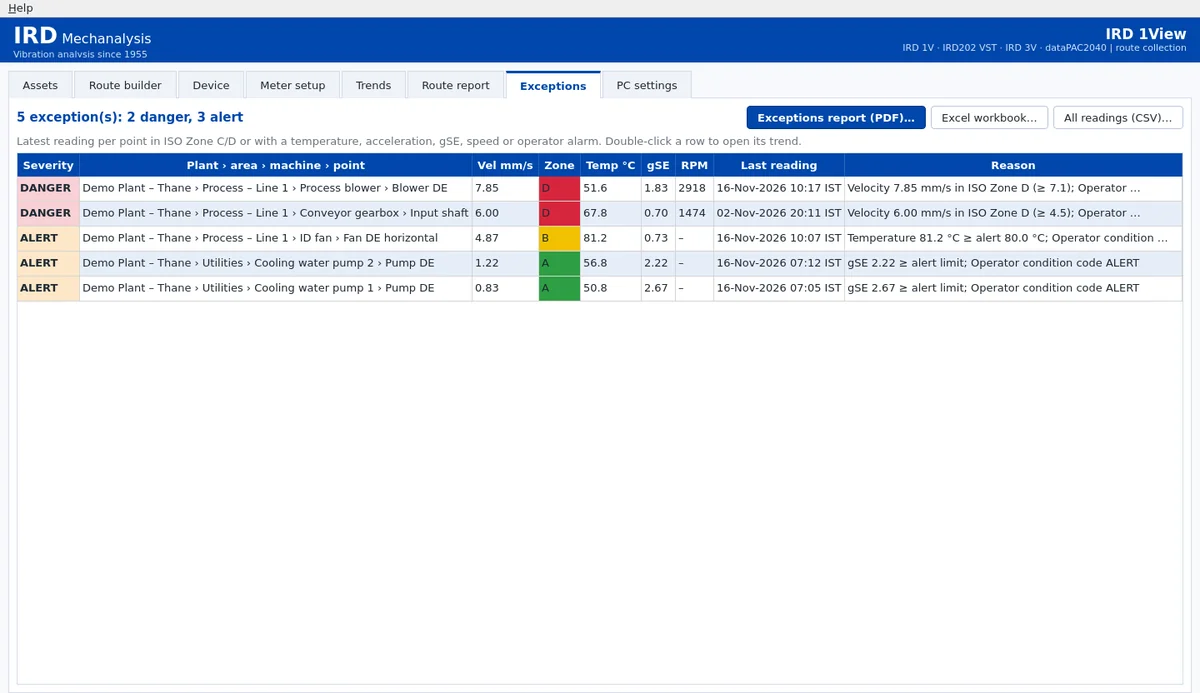
IRD 1View is PC software for route-based data collection. You build a plant and a route on the PC, load the route onto a connected IRD instrument, collect readings in the field, upload them, then trend, list exceptions and report.
Yes, for the IRD202 VST. IRD 1View replaces the older IRD202 Data Explorer and can import earlier V1.x logs as history. It does not reproduce the Data Explorer user interface.
PDF reports (route completion, exceptions, and point trend), an Excel workbook (Summary, Readings, Exceptions, Route completion and Assets) and CSV. The Assets sheet re-imports as the asset list.
Please request a quote, or email sales@irdmech.com.
Email sales@irdmech.com.
Request a quote